Access management
Access management helps you control guest access to your playrooms with codes and permissions instead of arranging every handover personally.
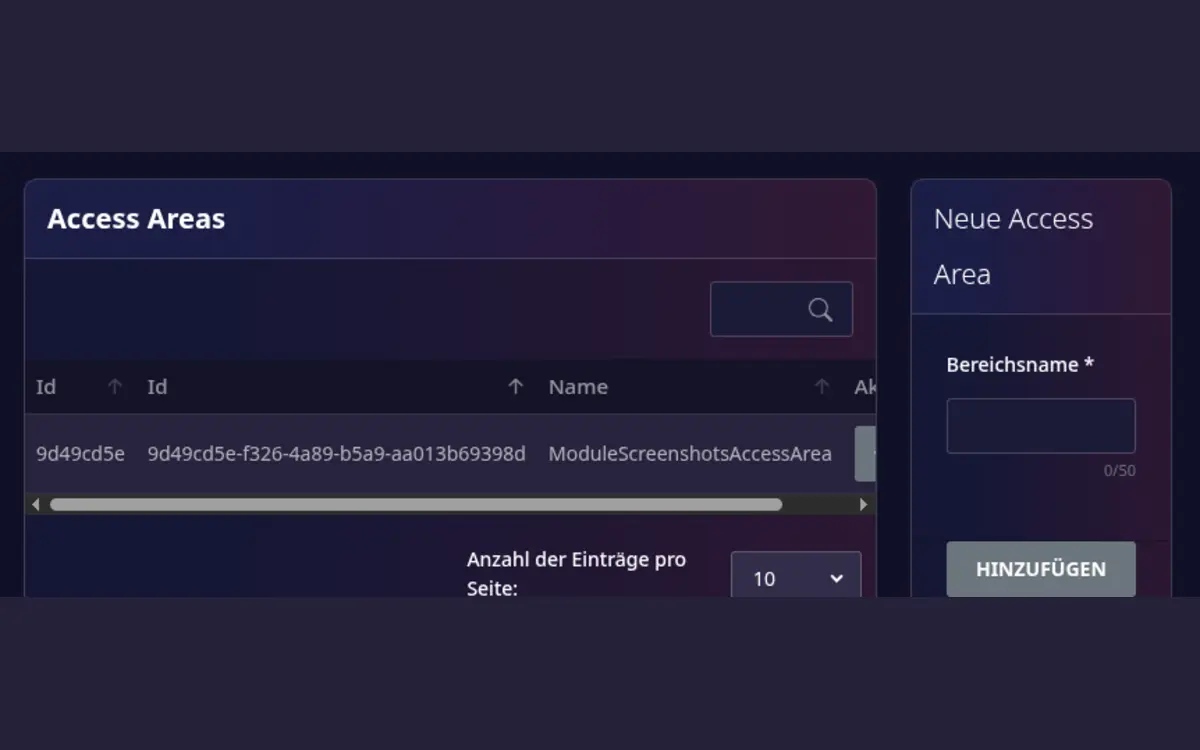
Set up
- Confirm that the access-management module is active.
- Open Host area > Access areas.
- Create an access area and give it a recognizable name, such as
Main entrance. - Open the access area and add one or more access codes.
- Test a code before allowing the first guest to use it.
Send a code to a guest
Access codes are not inserted into messages automatically. To send one manually:
- Open the relevant access area.
- Open the action menu for the code and select Copy for message.
- Open the chat with the guest and paste the copied text into the message.
- Check the recipient and booking before sending.
The copied text contains the access-area name and the code, for example:
Access code for Main entrance: 1234.
Before a booking
- Check that the access device is online.
- Verify the correct playroom and booking period.
- Give guests clear arrival and emergency instructions.
- Revoke access when a booking is cancelled or the device is replaced.
Access automation does not replace safe operating procedures. Keep a manual fallback for device outages and never publish a permanent access code publicly.