Last-minute discounts
Last-minute discounts help fill short-notice availability instead of leaving a free time slot unused.
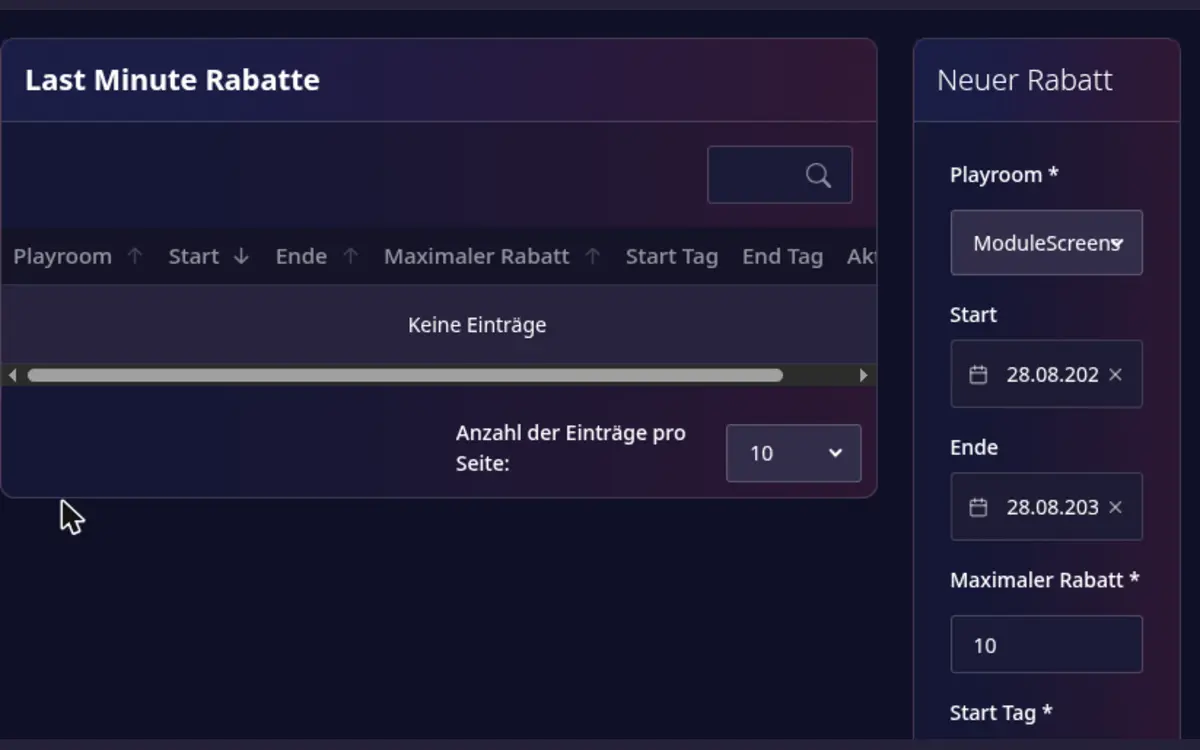
Create a discount
- Open Host area > Modules > Last-minute discounts.
- Select the playroom and the date range.
- Set when the discount starts and ends relative to check-in.
- Set the maximum discount percentage.
- Review the rule and save it.
The discount applies only when the configured conditions are met. It does not replace your base price or change bookings that are already confirmed.
Review and remove rules
Review active rules regularly so that the maximum discount still matches your pricing strategy. Open a rule to inspect its details, and delete it when the promotion should no longer apply.